Budgeting app review: Monarch Money
Published on December 31, 2025

Monarch Money is a comprehensive budgeting app that is excellent for couples or families who want a budget but also need some big-picture financial tracking. The price per month is comparable to its competitors (like YNAB and EveryDollar), but several features can make it a better fit for some.
Pros

Collaborative and comprehensive
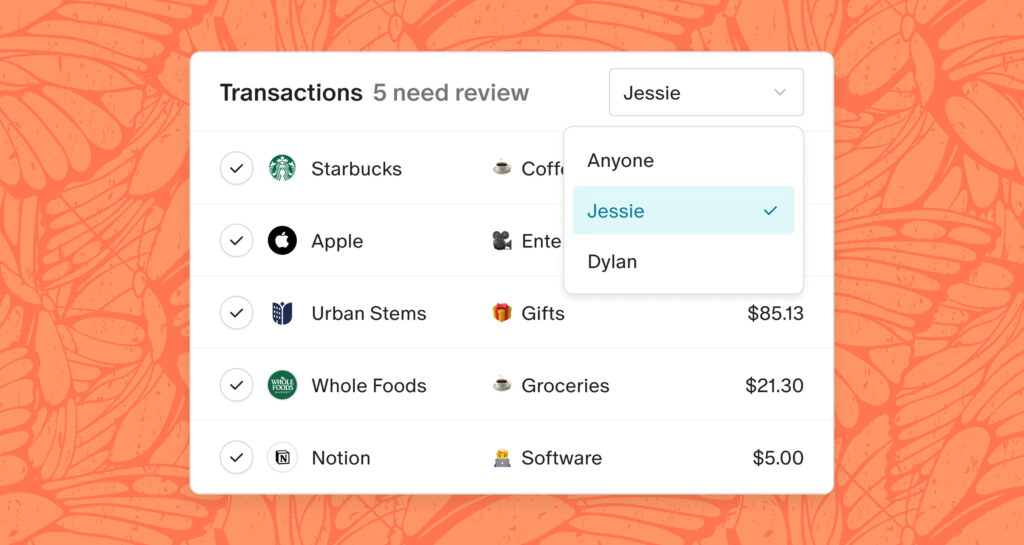
Monarch is designed with couples in mind. It aims for a seamless collaborative interface where two users can sync a large variety of bank accounts. Monarch has one of the widest institutional reaches and can integrate with over 13,000 different types of accounts, including credit cards, investments, and loans. While other budgeting apps chronically struggle with internal transfers and credit card payments that mistakenly count as income and expenses, Monarch’s ‘credit card payment’ and ‘transfer’ categories largely eliminate this issue by ignoring these transactions in analytics, keeping your financial picture accurate and duplicate-free. The transaction auto-sorting feature is seamless, and you can painlessly split transactions between categories when needed. Monarch has all the user-friendly tools you’d expect, with a smooth user interface that avoids common glitch pitfalls.
Retail syncing simplified (with Amazon and Target!)
This stands to be the best feature offered by Monarch that really makes it stand out from its competitors. If you have a significant number of transactions from multi-department retailers like Amazon and Target, you no longer have to manually cross-check transactions to determine what category to classify the expense. With Monarch’s downloadable browser extension, they will input the items from each transaction directly into the Monarch interface, which will then auto-categorize. They have plans to expand the browser extension to include other major retailers, but for now, Amazon fans can rejoice that the Prime convenience is no longer a massive categorization hassle.
Tools for the big picture financial plan
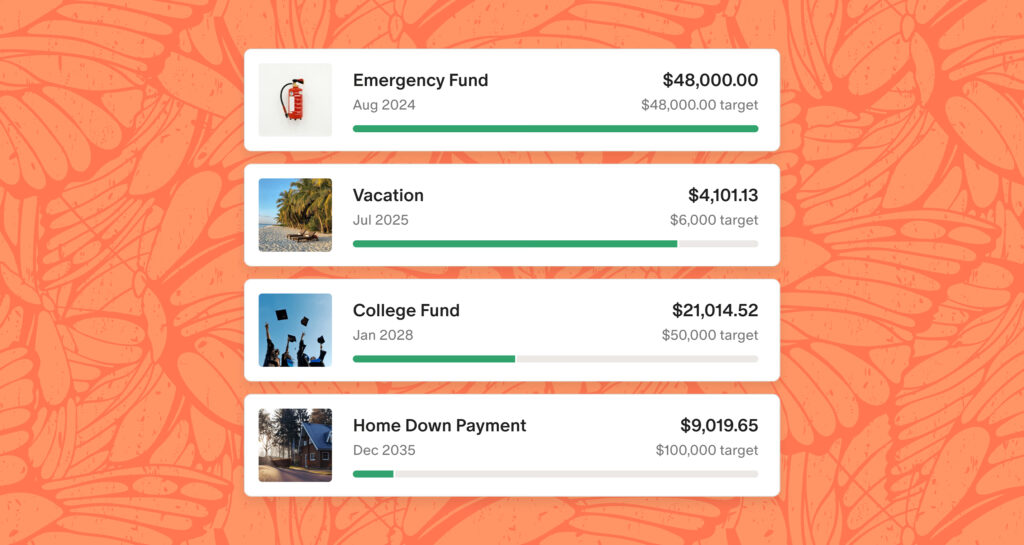
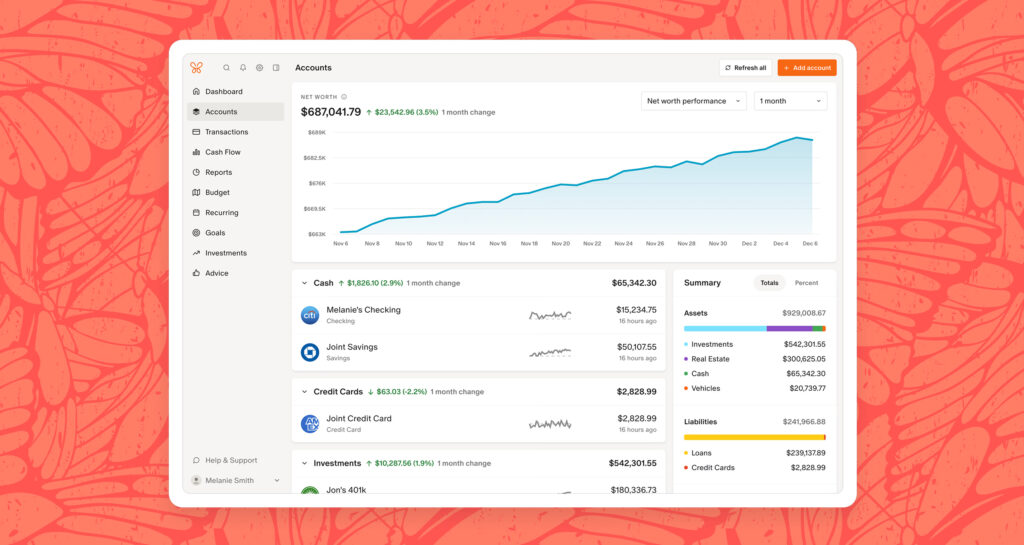
Monarch Money is focused on more than the month-to-month budget. Monarch offers several useful features to make big picture financial planning a cinch! Monarch’s analytics are insightful and aesthetic. It includes a graph for net worth with easily customizable time periods as well as smaller preview graphs next to each individual account that show the account balance changes over time. Monarch also has a convenient built-in credit score tracker with optional notifications when your score goes up or down. Included in the broad variety of synchable accounts are education savings accounts (like 529 plans), high-yield savings accounts, Treasury Direct accounts (for savings bonds), brokerage accounts, and more!
Cons (not many!)
It is hard to find a downside to Monarch since it has proven itself to be a top contender in the personal finance app space. Perhaps the biggest complaint is that Monarch is so comprehensive that the budgeting feature can get swept to the side. While you certainly can create custom categories for your monthly budget, the process is not as intuitive as all of the other Monarch features. That being said, this is only noticeable because the bar for user-friendly interface is set so high. For other budgeting software, it is not uncommon to sink several hours into the start-up phase of budget creation by watching several video tutorials. Monarch is easy enough that you do not need to watch a tutorial, yet it is complex enough that you probably still should. Overall, Monarch Money lends itself to a broad big-picture financial tracking that is helpful for families looking for a detailed and thorough birdseye view. However, If you want an app to exhaustively examine every single transaction, then a less broad-reaching budgeting app might be for you.
Related Posts

What I’ve learned from watching cooking show throwbacks
By Jessica Nardi

10 non-candy tricks and treats
By Brittany Makely

Miso Roasted Butternut Squash
By Calista Boskus

The non-sewers’ guide to All Saints’ Day costumes
By Grace Porto